

Using DebateFlow
Generating Feedback
After you've made your decision, it's time to write feedback. This is one of the most valuable things you do as a judge—good feedback helps students improve for their next round.
The 3 C's method
We use a framework called the 3 C's to structure feedback. For each team, you'll write:
- Compliments - What did they do well?
- Constructive Criticism - What could they improve?
- Corrections - What specific mistakes should they fix?
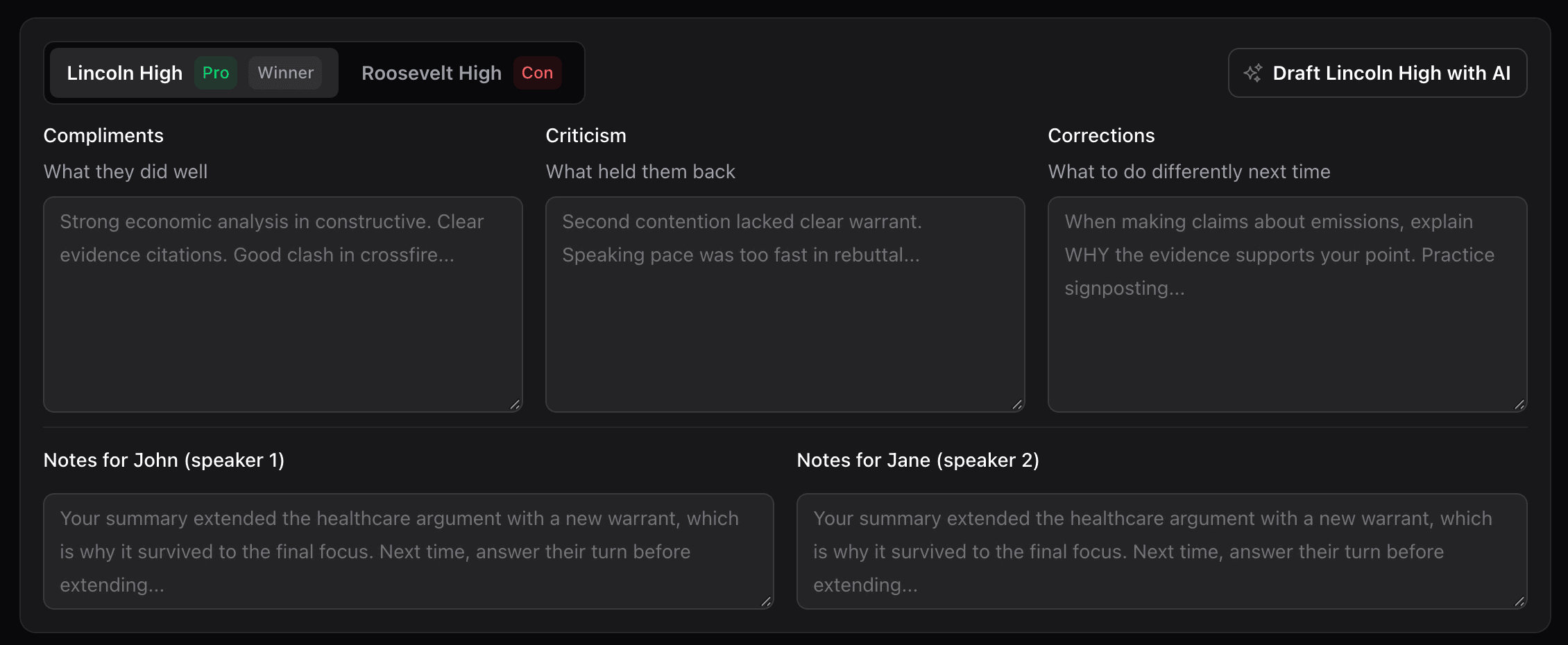
This ensures your feedback is balanced—not just pointing out problems, but also recognizing what worked.
Writing feedback yourself
You can write feedback entirely on your own if you prefer. Some judges like to craft every word themselves.
Two buttons at the top of the page show you the round again:
- Moments - every speech as it was said, and what you flagged while it happened
- Notes - the notes you took for each team
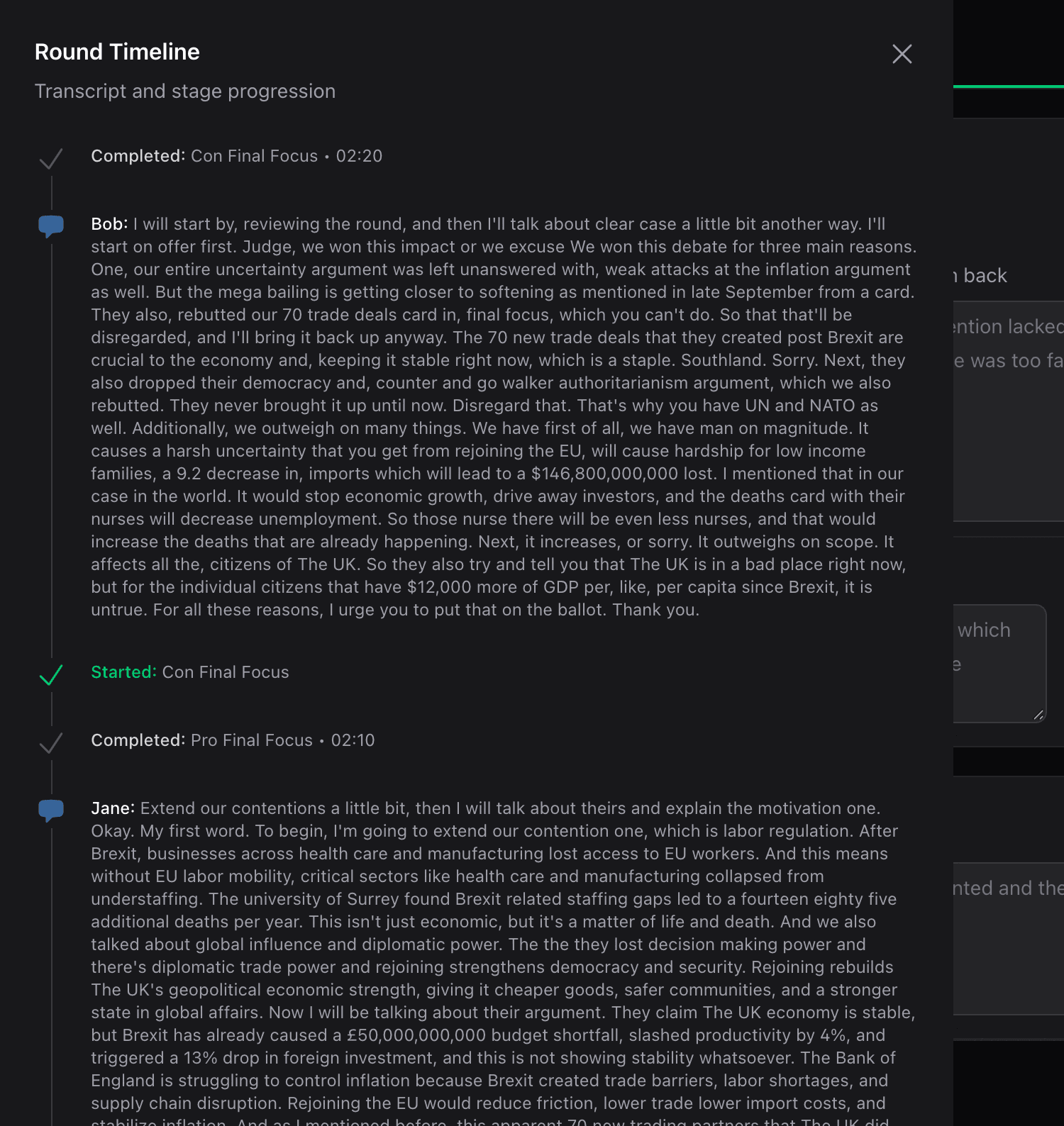
Open either one to check what happened before you write it down.
Letting AI draft it
Draft everything is at the top right of the page. It drafts both teams and your reason for decision, from:
- The analysis of the round: what each side argued, what went unanswered, what was carried forward, and how the clash went
- The arguments you flagged after each speech, and whether you could follow them
- Your notes, and your decision and its reasons
It also writes a note for each of the four speakers, naming their own speeches - because a first speaker never gave the final focus, and team-level feedback gives them little to act on. You can edit every note like any other field, and they go out on the ballot.

It usually takes one to two minutes. The screen stays yours while it runs: you can keep typing, anything you type while it runs is kept, and Cancel stops it.
One part at a time
Each team is a tab. On the team you are looking at, Draft {team name} with AI drafts that team only.

Next to the reason for decision, Draft RFD with AI drafts that on its own.
A team's draft button needs the notes you took for that team during the round. Draft everything needs notes for both teams. With no notes for a team, write that team's feedback yourself.
Whichever you use, the draft fills the boxes on the page and waits for your edits.
Editing a draft
A draft lands straight in the feedback boxes. There is nothing to confirm - read it and change what you want.
Drafting replaces what is already in those boxes, so draft first and edit after.
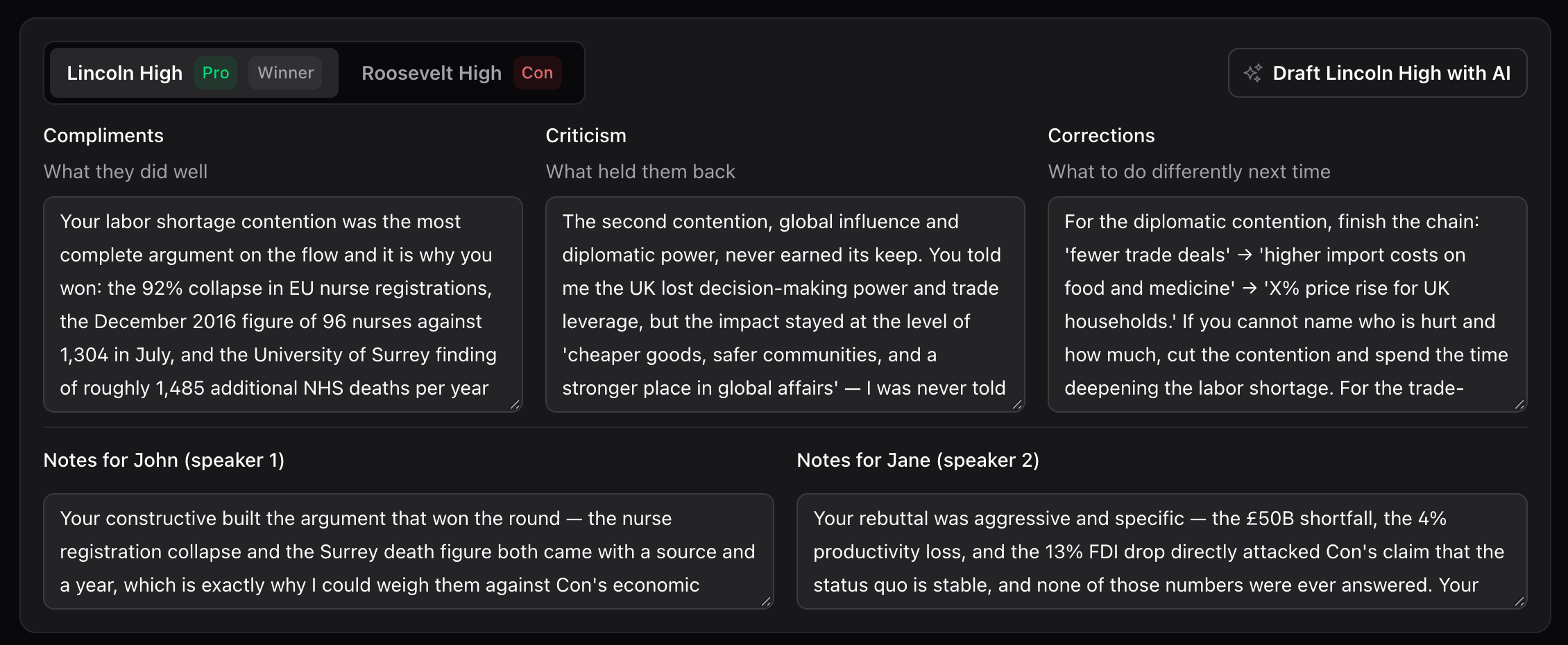
Read through the feedback for each team. You might want to:
- Add personal observations that only you noticed
- Soften or strengthen certain points
- Remove anything that doesn't feel right
- Add context or examples
This is still your feedback—the AI just gives you a starting point. Edit it until it sounds like you.
Your reason for decision
Underneath the feedback is the Reason for decision box - your RFD. It starts empty. It is the one part you have to fill in: both teams read it, and it goes to Tabroom.
Write it yourself, or click Draft RFD with AI.

A draft is built from:
- The voting issue decisions you made in the decision wizard, and the reasons you gave for each
- Your own reasoning on the final step
- The analysis of what happened to each argument
It only makes your reasons concrete - it never substitutes a different basis for the decision. If you voted on something the analysis read differently, the draft says what you said.
Like the feedback, you can edit it to match your voice and add anything the draft missed.
Preview for Tabroom
When you're happy with everything, click Preview for Tabroom.
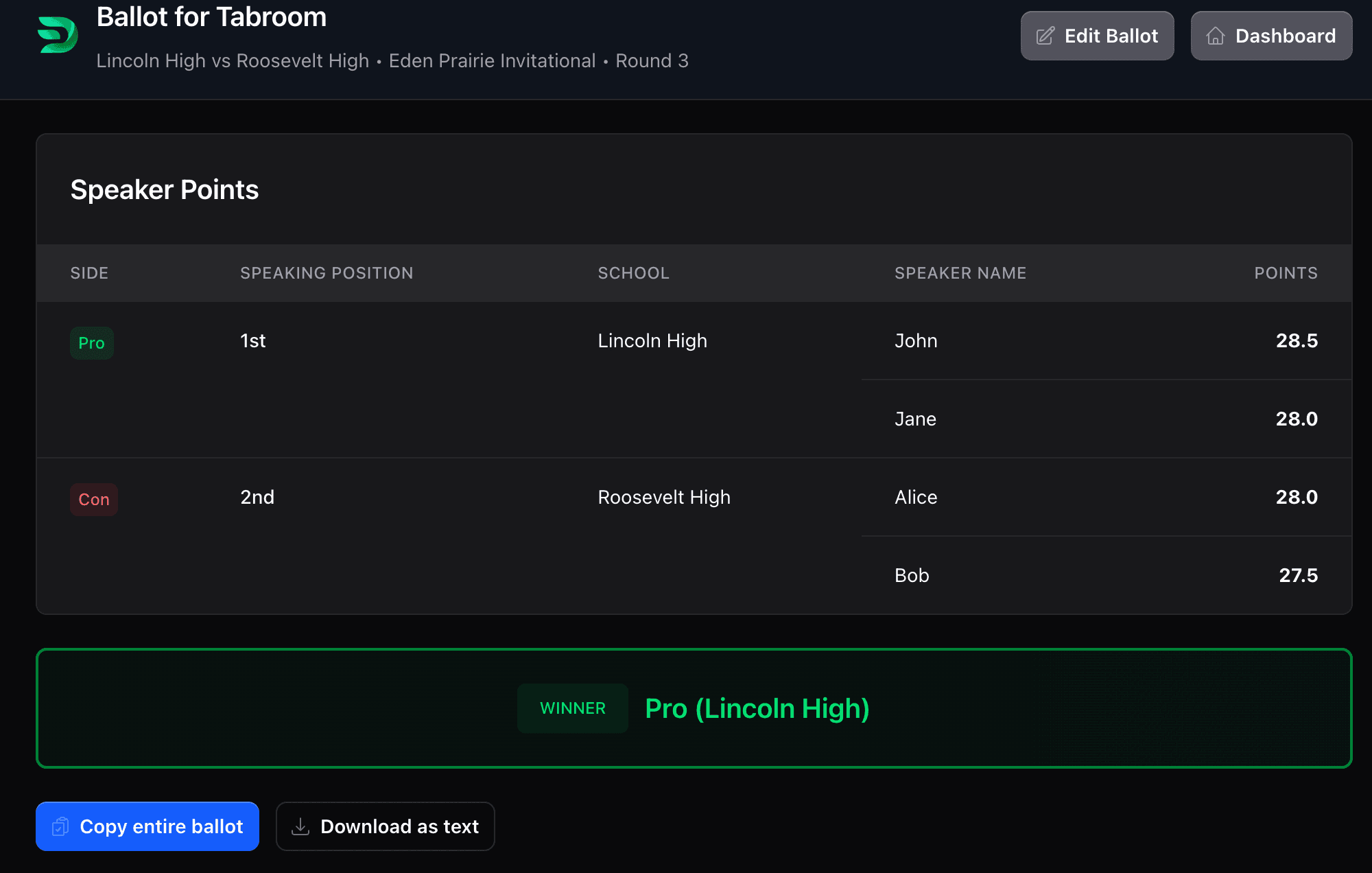
This shows you exactly what your ballot will look like:
- Winner (with highlighting)
- Speaker points for all four debaters
- Your RFD
- Feedback for each school
One-click copying
Next to each piece, you'll see a Copy button. Click it to copy that text to your clipboard, then paste it directly into Tabroom.
No retyping required—just copy and paste.
Can still edit
Even after previewing, you can click Edit Ballot to go back and make changes. Nothing is final until you submit it to Tabroom.
Pro Tips for Great Feedback
Be specific - Instead of "good arguments," say "your healthcare cost evidence from the CDC was compelling." Specific feedback helps students know exactly what to keep doing. Generic praise doesn't teach anything.
Balance positive and negative - Every team did something well—acknowledge it before pointing out problems. Start with compliments, then move to criticism. Students are more receptive to constructive criticism when they know you noticed their strengths too.
Focus on what they can control - Speaking clarity and argument structure are fixable. "You should have picked a different case" is less helpful than "Make sure to extend your case through every speech."
Remember they're students - Use encouraging language. The goal is to help them improve, not discourage them. Even when pointing out major mistakes, frame it as "here's how to get better" not "you messed up."
Use AI as a starting point - It's okay to let AI draft the feedback, but add your personal touch. You noticed things the AI didn't. The best feedback combines AI's comprehensive coverage with your human observations and tone.
What makes good feedback?
Compliments (what they did well)
- "Your speaking was clear and easy to follow"
- "The evidence from [specific source] was credible and well-explained"
- "You did a great job extending your case through summary"
- "Your final focus painted a clear picture of why you should win"
Constructive criticism (what could improve)
- "Consider slowing down during rebuttals—some responses were hard to follow"
- "Your impacts could be more specific with numbers or timeframes"
- "Make sure to frontline in second rebuttal before extending new offense"
- "In final focus, spend more time weighing your wins against theirs"
Corrections (specific mistakes)
- "You dropped their economy argument after constructive—extend it through every speech"
- "The link between your policy and your impact wasn't clear"
- "Don't forget to give voters in summary—tell me why you're winning"
- "That evidence was from 2015; look for more recent sources"
Manual vs. AI: Which should you use?
Write it yourself if:
- You have strong opinions you want to express in your own words
- You noticed specific moments that AI analysis might miss
- You prefer complete control over every sentence
- You have time and energy to write from scratch
Use AI generation if:
- You want to make sure you cover all the technical points
- You're tired after a long tournament day
- You want a consistent structure across all your ballots
- You're comfortable editing AI suggestions
Most judges use a hybrid: generate with AI, then personalize it. There's no wrong answer.
What's next?
Now that you know how to create feedback, learn about:
Next Steps:
- Tabroom Integration - Submit your ballot to Tabroom seamlessly
Related Resources:
- After the Round - The analysis this feedback is drafted from, and what to do if it failed
- Decision Wizard - How your voting issues inform feedback generation
- Voting Issues - Where the reasons in your RFD come from
- Understanding AI Analysis - How AI analysis contributes to feedback suggestions
- Workflow Overview - See how feedback fits into the complete judging process
Help & Support:
- Quick Reference - The checklist to print, and where to look things up mid-round
- FAQ - Common questions about feedback and AI generation
- Troubleshooting - Fix issues with feedback generation
Feedback matters
Good feedback is one of the best ways judges can help the debate community. Taking a few extra minutes to provide thoughtful, specific feedback can make a real difference in how students improve.