Debate judging, minus the panic
It writes down each speech. You decide who won. It helps you write the ballot.
No debate experience needed. It never tells you who's winning, and the sound is never kept.
Limited preview. We email you when you're in. Did your coach send you a link? Use that link instead.
Your first round, step by step
Five simple steps from start to finish. No debate experience required.
- Step 1Hit Record and Breathe
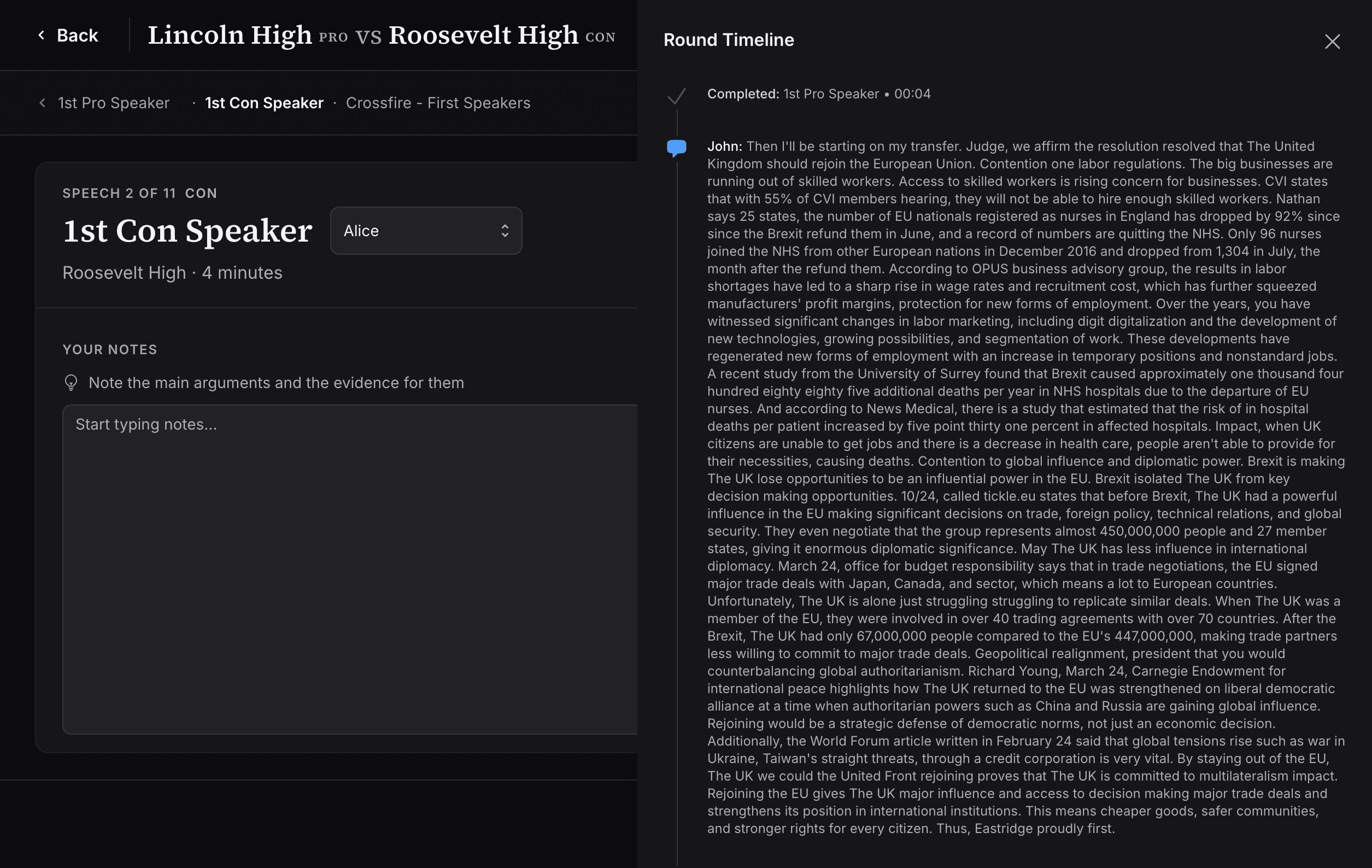
Click "New Round" and let your device listen. Each speech is written down as it happens, even when they talk fast. The questions between speeches are timed, not recorded. Audio is never saved. It is sent for transcription and then discarded.
- Step 2Jot Down What You Noticed
Keep notes for each team. After each speech, say whether you could follow it and flag the arguments that stood out. The technical breakdown comes after the round.
- Step 3The App Helps You Decide
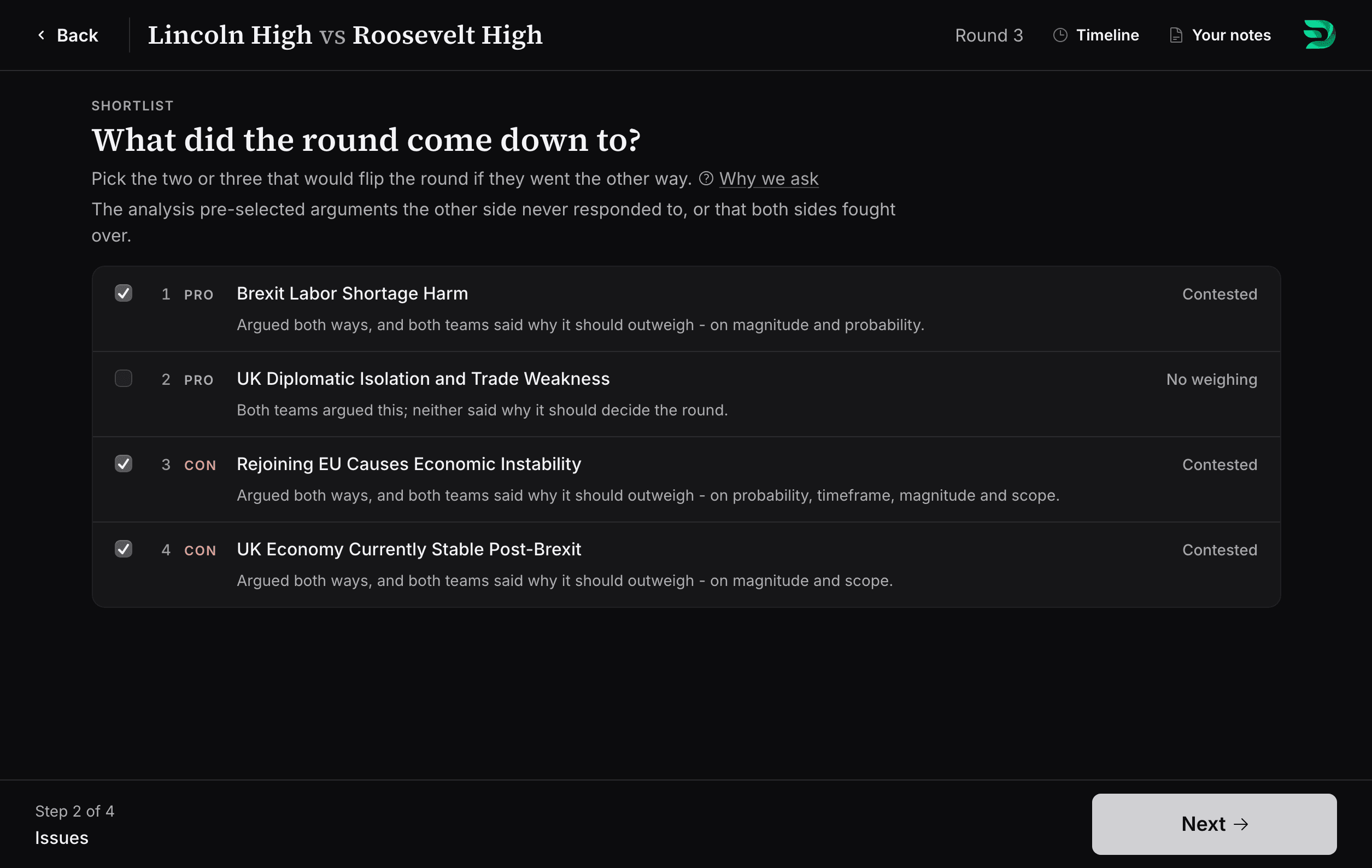
After the round, it lists the points the teams disagreed on and asks who won each one. You make the call.
- Step 4Get a Head Start on Feedback
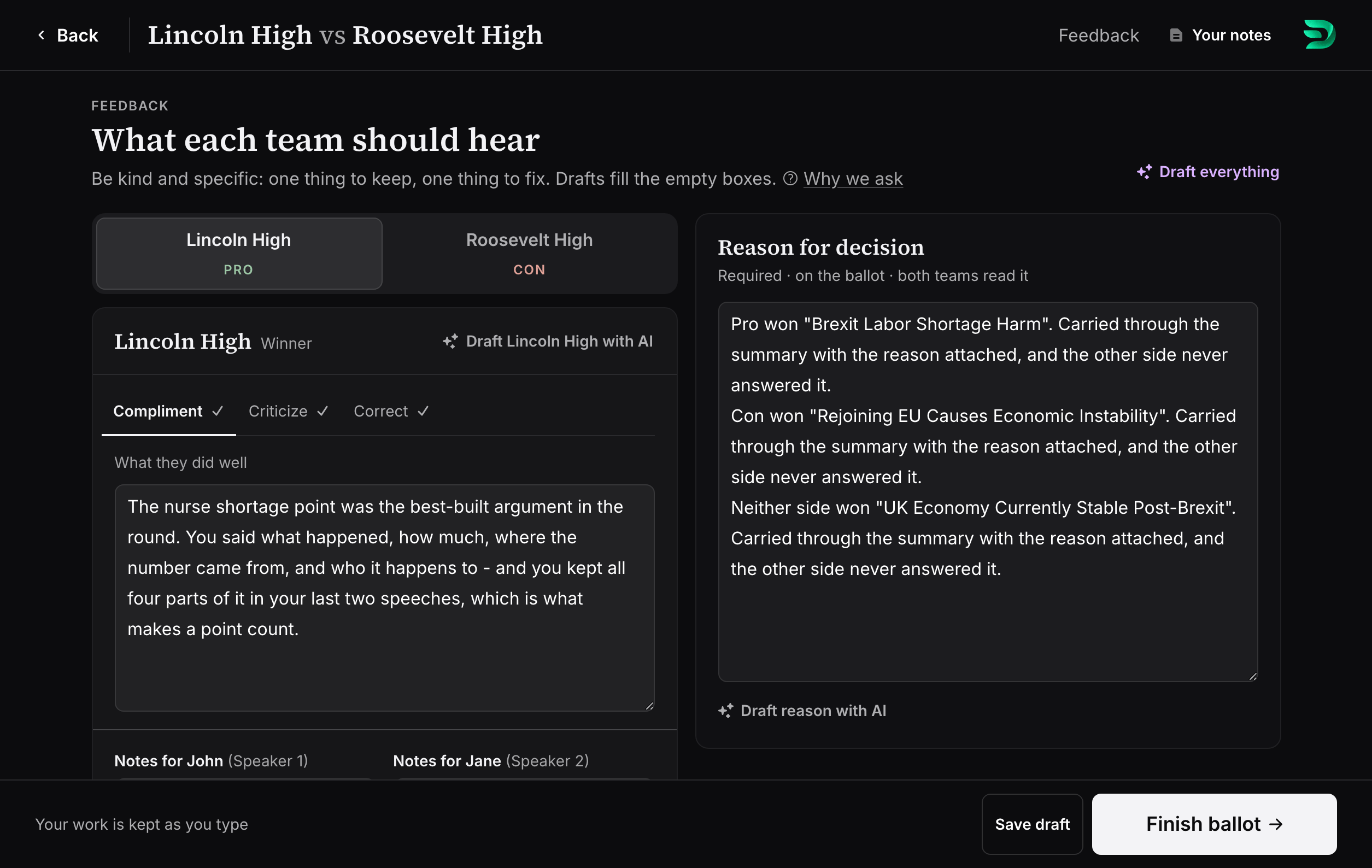
It drafts feedback from what you flagged: what went well, what to fix, how to fix it. You edit it before it goes anywhere.
- Step 5Copy and You're Done
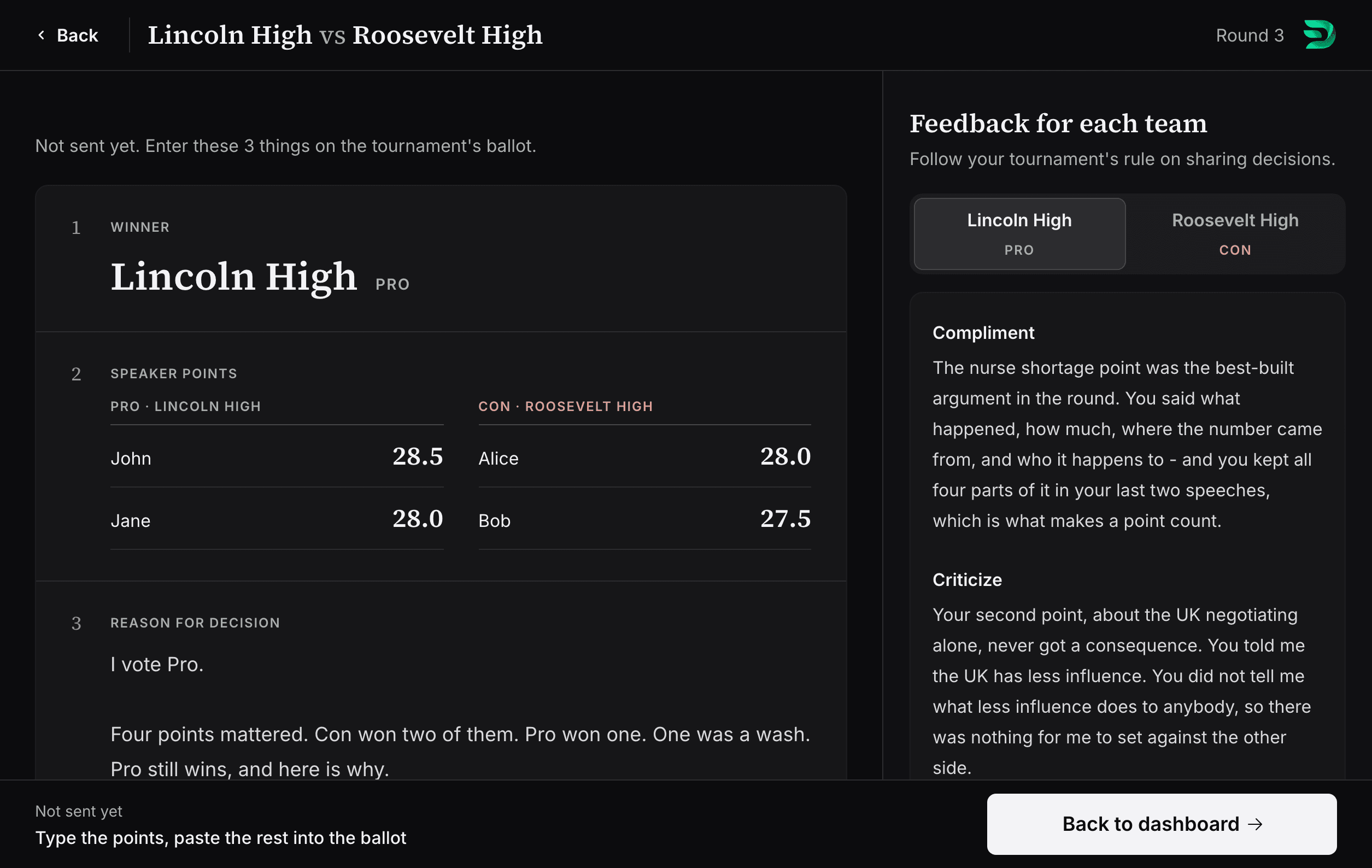
Type in the points, then copy your reason for decision and each team's feedback straight into Tabroom.
You Judge Like a Human. We Handle the Details.
You decide what mattered—that's judging. We keep the record: which arguments went unanswered, which rebuttals answered what, and what each team carried to the final focus.
After each speech, we transcribe what was said. You pick the speaker—we never identify voices from the audio. The names you type are swapped for codes before anything goes to the AI, and the sound is never kept.
Built for the judge in the room
First round or fiftieth, everything here is for you. Take notes, keep track of the arguments, and write the ballot.
Note-Taking & Assessments
Keep track without the chaos.
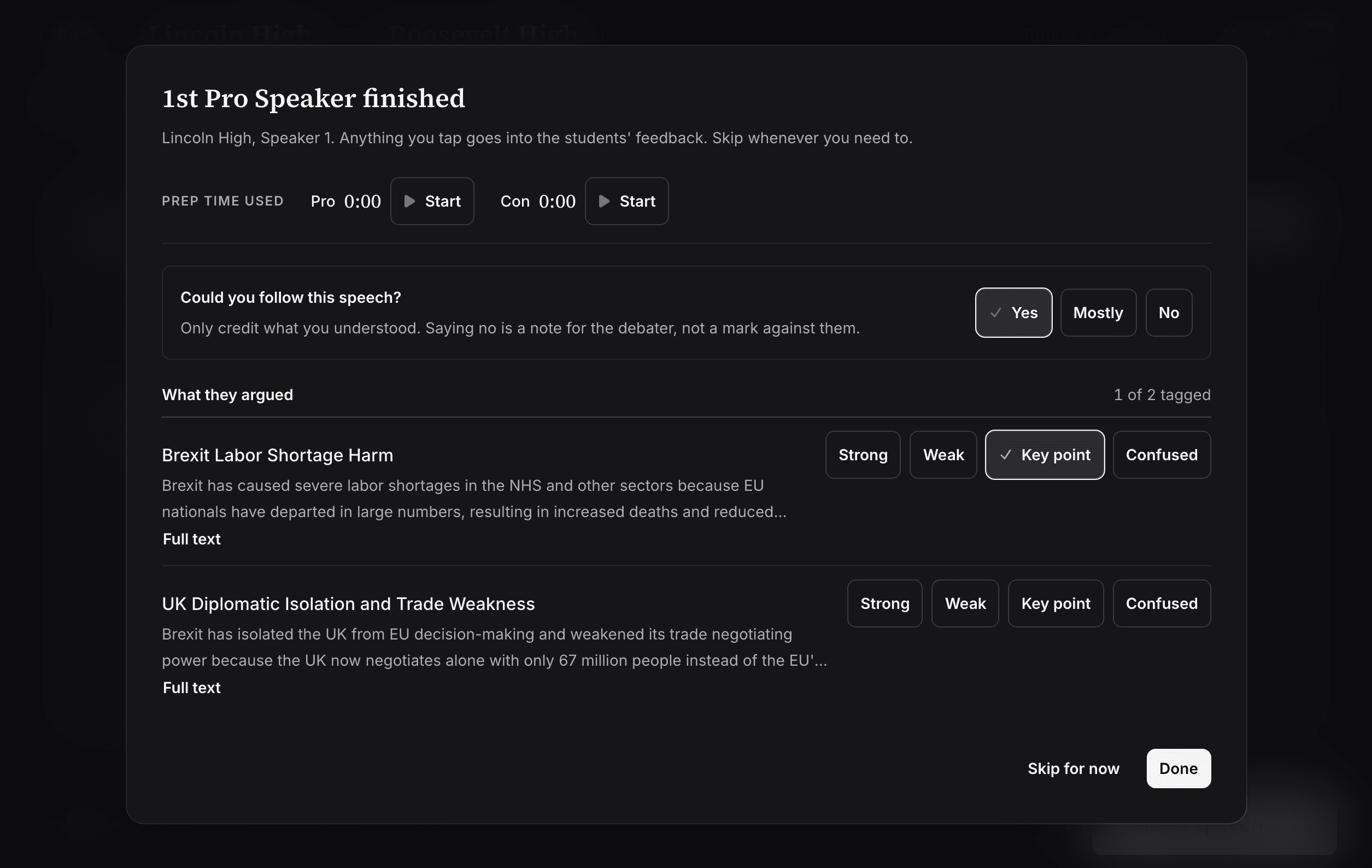
Take notes for each team. After each speech, say whether you could follow it and flag the arguments that stood out. Auto-saved every 10 seconds.
AI Argument Analysis
The technical stuff you might miss.
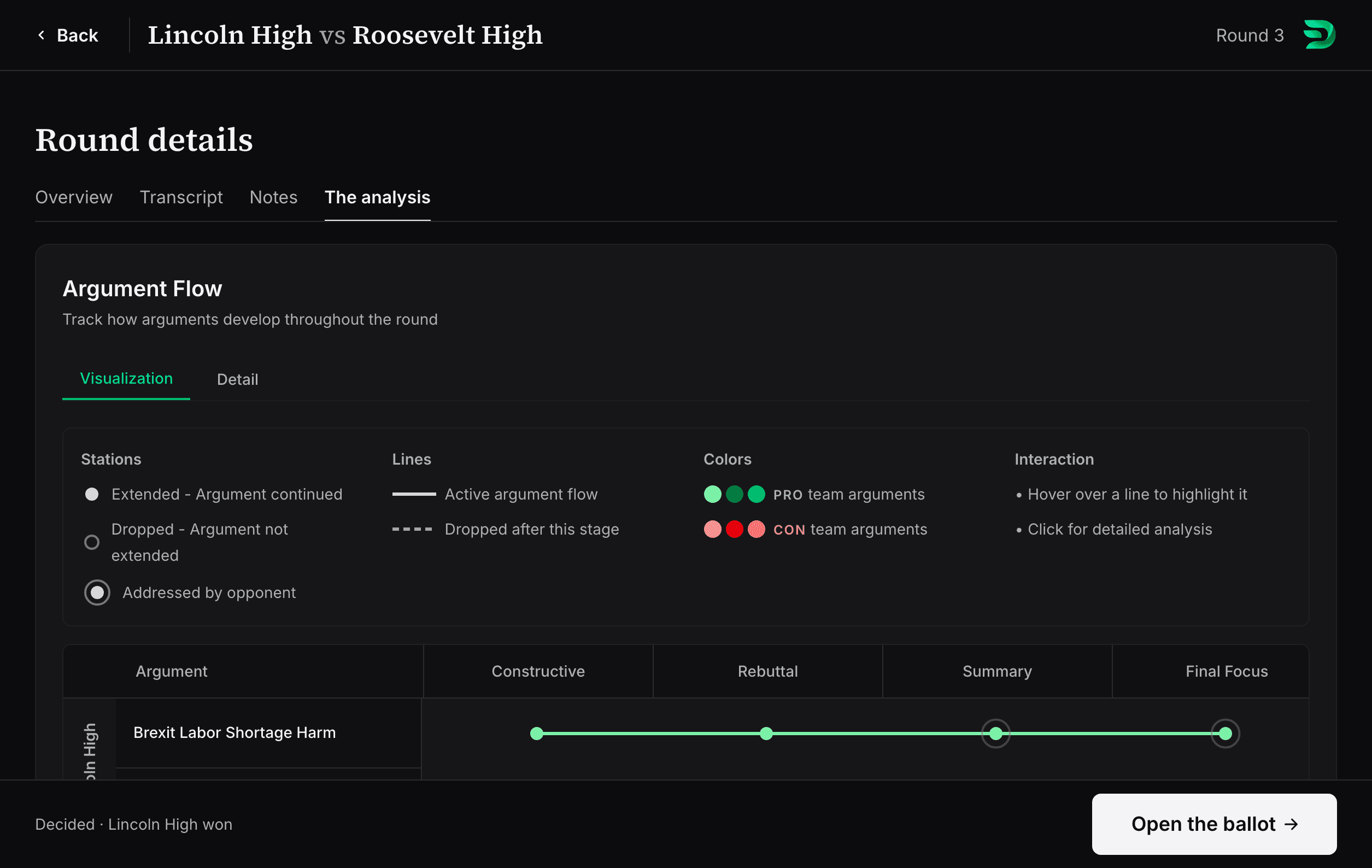
AI extracts argument structure, identifies drops, analyzes coverage, tracks speaking metrics. Educational feedback teams can actually use—not just "nice job."
Keep track without the chaos.
Take notes for each team. After each speech, say whether you could follow it and flag the arguments that stood out. Auto-saved every 10 seconds.
The technical stuff you might miss.
AI extracts argument structure, identifies drops, analyzes coverage, tracks speaking metrics. Educational feedback teams can actually use—not just "nice job."
Your First Round Doesn't Have to Be Terrifying
We're in a limited preview, and we'll open to more judges in the coming weeks. Request access and we'll email you when you're in. Did your coach send you a link? Use it and you're in now.
Frequently asked questions
Can't find what you need? Check our documentation or contact us
I don't know anything about debate. Will this work for me?
That's exactly who we built this for. The app guides you step-by-step and never assumes you know debate lingo.
Will the kids know I'm using AI?
Tell your coach you're using it. Nothing in the app is shown to the debaters. We think they should know, so there is wording a tournament can put on its registration form. The decision stays yours: what mattered, who won, what to say about it. The AI drafts the feedback from your notes and the transcript, and you edit it and send it. If a tournament asks what you're running, we wrote a page you can hand them.
Is student data protected?
The sound is never kept. The names you type are swapped for codes before anything goes to the AI. A name said out loud in a speech can still reach it, so we wrote down what every company receives.
Do I need to be tech-savvy?
If you can use Google Docs and voice memos, you can use DebateFlow. Designed for humans, not engineers.
Can you pull in my Tabroom assignments?
Only if we've turned that on for your account, and most accounts don't have it. The connection reads a website that isn't ours, so we turn it on a few judges at a time. You don't need it. Tap "New Round," type in the tournament and the names, and everything after that is the same.
What do I put for speaker points?
The part most parent judges dread. You get a suggested score for each speaker after the round, with the reasons beside it—how complete their arguments were, how much of the other side they answered, whether anyone weighed the impacts. It's built on what they argued, not how they sounded; the one delivery question is whether you could follow them. Nothing is filled in for you, and a 30 is still yours to give by hand.
What's the AI doing during the round?
Writing it down. Each speech is transcribed, and the points it made are listed for you to check after it ends. It never says who's winning—who answered what waits until the round is over. An optional panel puts that running list beside your notes; it's off unless you turn it on.
What if I want to write my own feedback?
Go for it! The AI draft is optional. You're in control.
What debate formats are supported?
Currently Public Forum. Lincoln-Douglas coming soon.