

Using DebateFlow
Making Your Decision
After the round ends, it's time to make your decision. This is often the hardest part—you've just heard 30-40 minutes of arguments, and now you need to figure out who won. The Decision Wizard is here to help.
How the decision works
When you complete the final speech, the decision wizard takes you through four steps:
- Review - what happened in the round, and what you made of it at the time
- Issues - tick the few arguments the round came down to
- Each issue - decide the ones you ticked, one at a time, in your own words
- Decision - the winner, your reasoning, and speaker points
Analysis compilation
The moment you press Complete Round, the analysis starts running on our servers. You'll see a loading screen with the four steps and a tick as each one finishes.
Expect a couple of minutes. During that time we're tracking each argument through the round, finding what went unanswered, pairing every argument with the responses it received, and preparing the review you decide from.
Go grab some water. You've earned it. For what each step produces, and what to do if one of them stalls, see After the Round.
Step 1: What you marked while the round was running
The wizard opens on your own record, before any of ours. For each team you'll see how much of each speech you said you could follow, whether the summary and final focus told you why to vote and compared the wins, the arguments you flagged as strong, weak, key or confusing, and the notes you typed.
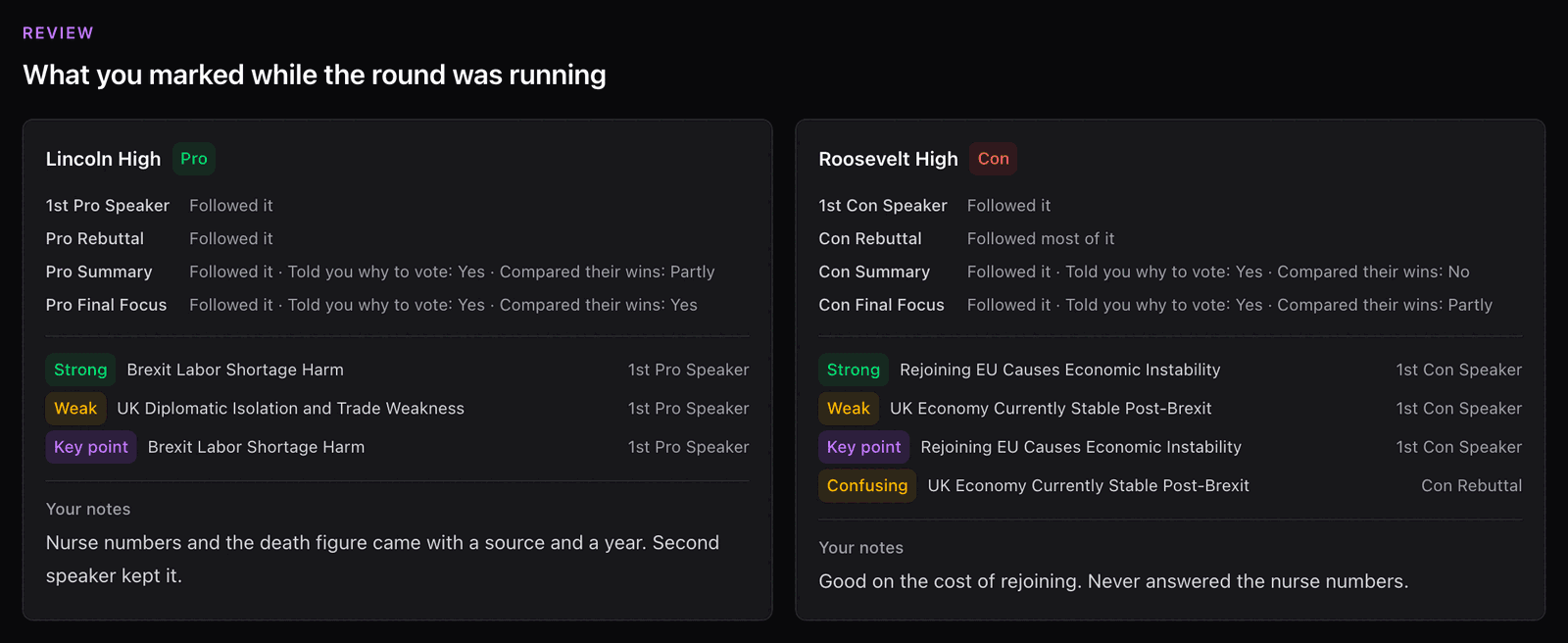
It decides nothing. It is the only version of your thinking that cannot have been shaped by the analysis, so it is worth reading before you start.
Step 2: What did the round come down to?
Click Next and you reach the shortlist. It lists the arguments still alive at the end of the round and asks you to tick the ones your decision rests on.
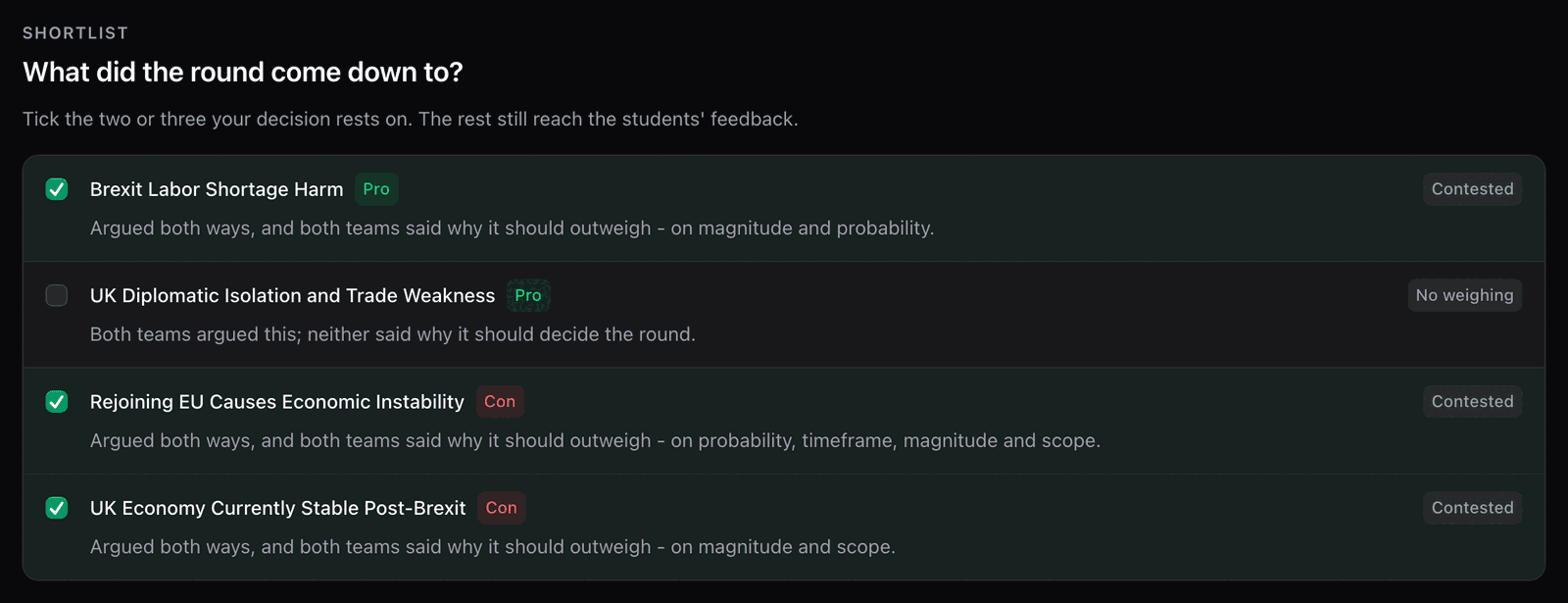
Two or three is the normal answer. A Public Forum decision rests on a couple of arguments, and the rest are points you heard and set aside.
Up to three rows are ticked when you arrive - the ones nobody answered, and the ones both sides argued and said why they mattered. Every box is yours to change. Changed your mind about the whole set? Back to the suggestion puts the first one back.
Each row says what happened to that argument in one word - Unanswered, Contested, No weighing, Too late - with a line explaining it, such as "Con never answered this". Those are facts about the speeches, not verdicts.
You decide only what you tick. Everything you leave is still recorded as heard, and still reaches the students in their feedback.
Voting Issues goes through each word and what to do when nothing survived to the final focus.
Step 3: Deciding each issue
One screen per argument you ticked, in the order they were argued.
Understanding each voting issue
Each issue is one argument and everything that happened to it:
- The argument itself - the claim, the reason it was true, and why it mattered, as the team put it
- What the other side did - Answered, Turned, Rebuilt, Weighed or New argument, and how strongly
- What its own side did with it - developed it in the summary and final focus, mentioned it in passing, or dropped it
- Whether anyone weighed it against the rest of the round
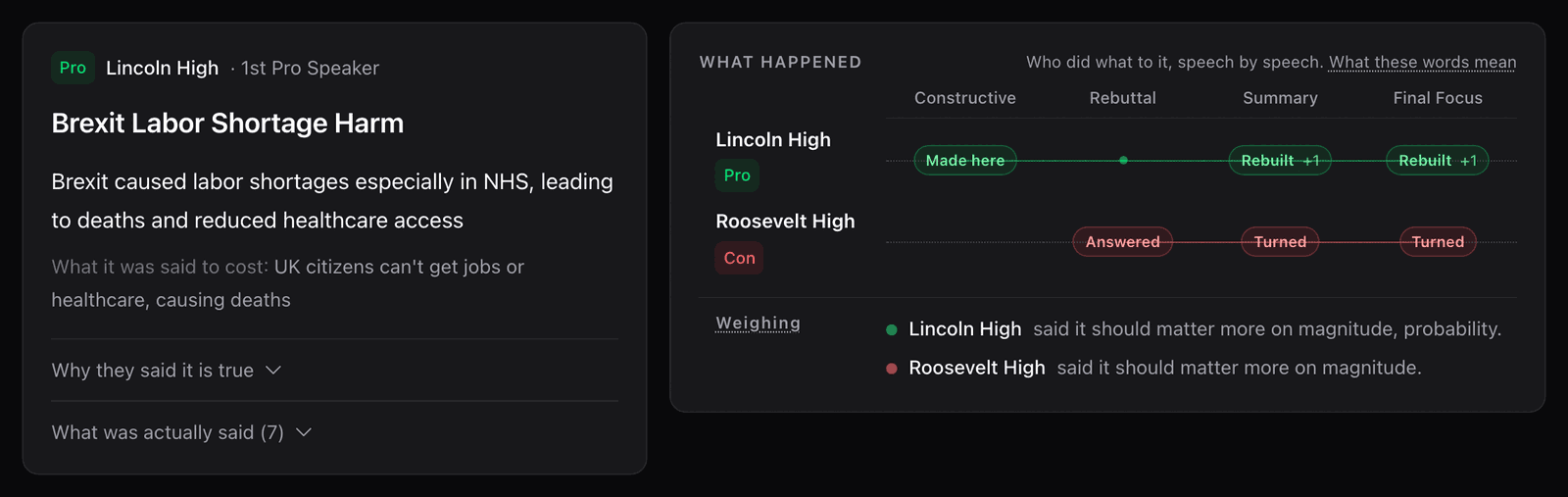
An argument first raised in the final focus is marked as such, with the note that most judges will not vote on something the other side never had a chance to answer.
Making your decision
You pick a winner for each issue and say why in your own words. "Neither side clearly won this" is a real choice - some issues genuinely wash, and saying so is better than inventing a winner.
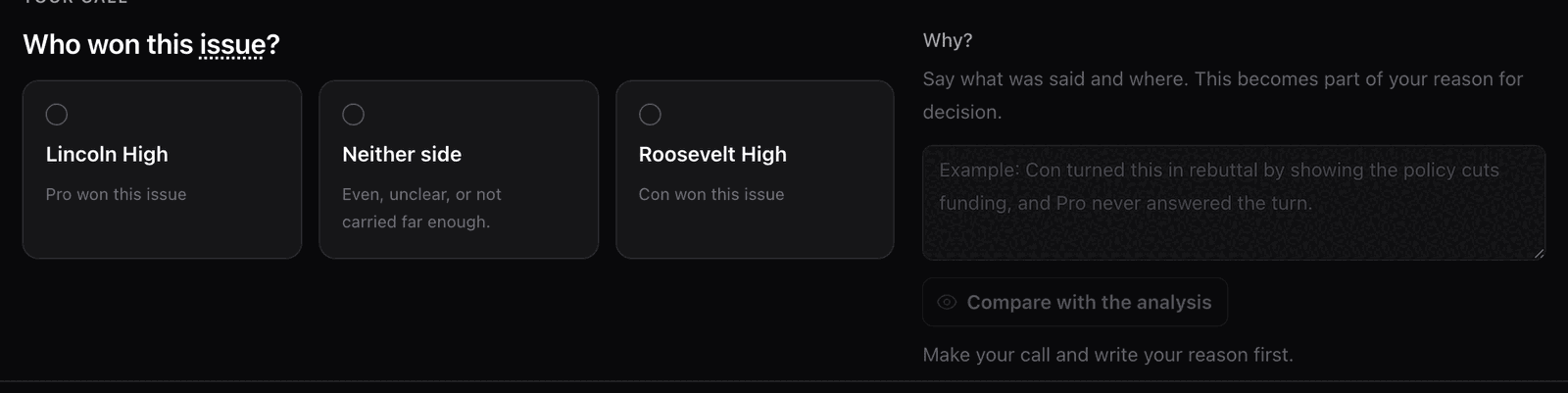
You decide first, then you can compare
Our read of an issue stays hidden until you have picked a winner and written your reason. Then you can reveal it as a check on your own thinking. There is no button that copies it into your decision, because the decision has to be yours - and if we differ, that is information for you, not a correction.
There's no judgment here—use what helps you. Some judges like to start with our analysis and modify it. Others write from scratch. Both are fine.
Step 4: Who won the round
After you've gone through every issue you ticked, it's time to make your final decision.
See the big picture
You'll see how your own issues fell - which ones each team won, and which ones didn't factor - then pick the round winner and write your reason.
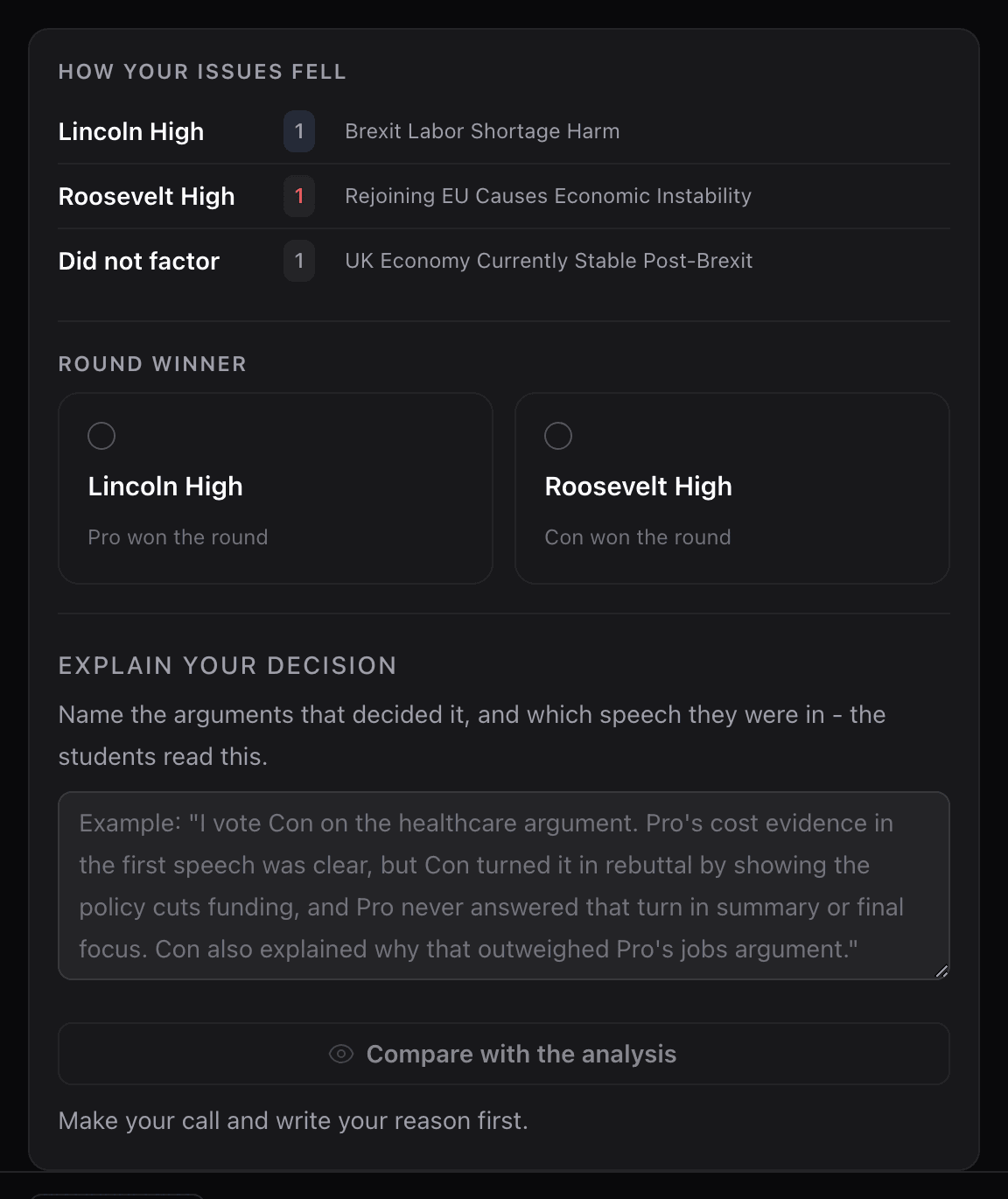
The same Compare with the analysis button sits under the reason box, greyed out until you have picked a winner and written something.
Two more buttons sit at the top of this step. How judges are asked to decide gives you the three rules: decide on the arguments actually made, credit only what you could follow, and set aside anything new in the final focus. Full argument flow opens the whole round as one chart - the same one on the round's details page, described in AI Analysis.
Speaker points
At this point, you'll also assign speaker points for each debater, on the 25-30 scale in half points.
For each speaker you get a suggested number and the factors behind it: how complete their arguments were, whether their extensions added reasoning or repeated a title, how much of the other side they answered, and whether they weighed. It never reads how anyone sounded.
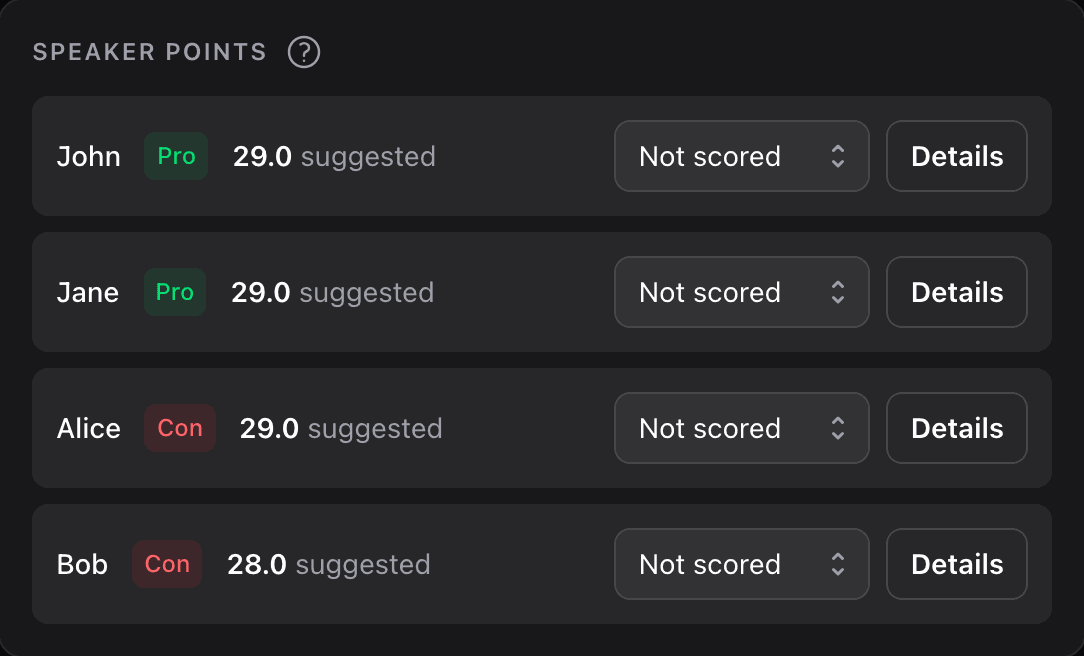
Nothing is filled in for you
The suggestion sits beside the box; the number in the box is the one you choose. It never suggests 30.0, and it says "no suggestion" rather than guessing when the round recorded nothing for a speaker. See Speaker Points for the full rubric and where the number comes from.
Enter the speaker points for each debater, then click Complete Decision.
What happens next
After you complete your decision, you'll be taken to the feedback page where you can:
- Generate educational feedback using the 3 C's method
- Review and edit your RFD
- Prepare your ballot for submission
See our Feedback Guide for details on that step.
Pro Tips for Decision-Making
Tick two or three, not everything - A round might have eight arguments still standing, and a decision usually rests on two or three. Ticking every box means writing a reason for every one of them, and it is not a better decision for it.
Your first read is worth something - After the last speech you were asked who you thought won, and on what. It is shown back to you once you have decided. If you ended up somewhere else, that is fine and worth noticing: usually it means a late speech changed the round, which is exactly what late speeches are for.
Speaker points are about the arguing - Not about who sounded more confident. The suggestion is built from what each speaker did with arguments and shows you the factors behind it, so you can disagree with it on the evidence rather than on a feeling.
It's okay to use AI suggestions - This isn't cheating—it's using a tool. You still make the final call on everything. Think of AI voting issues like having a debate coach suggest what to look at—helpful, but you're still the judge.
What's next?
Now that you know how to make your decision, learn about:
Next Steps:
- Generating Feedback - Create helpful feedback for teams using the 3 C's method
- Tabroom Integration - Export your ballot and submit to Tabroom
Related Resources:
- Voting Issues - What you see on each issue, and why our read stays hidden until you decide
- Speaker Points - The 25-30 scale, the rubric, and where the suggestion comes from
- After the Round - What runs between Complete Round and this screen
- Understanding AI Analysis - How the analysis pairs arguments with their answers and tracks them through the round
- Recording Your Round - How your post-speech ratings inform speaker points
- Workflow Overview - See how decision-making fits into the complete judging process
Help & Support:
- Quick Reference - The checklist to print, and where to look things up mid-round
- FAQ - Common questions about making decisions
- Troubleshooting - Fix issues during the decision process
Questions about your decision?
If you're unsure about something during the decision process, you can always go back and review the detailed analysis, transcripts, or your notes. Take your time—good decisions are worth it.